
Add Warehouse Details
To avoid shipping delays or rejections with LTL (Less Than Truckload) shipments, Amazon requires that sellers and vendors clearly specify the type of warehouse equipment supported at each shipping location. This is especially important when using 53' trailers or requesting liftgate services.
Instructions
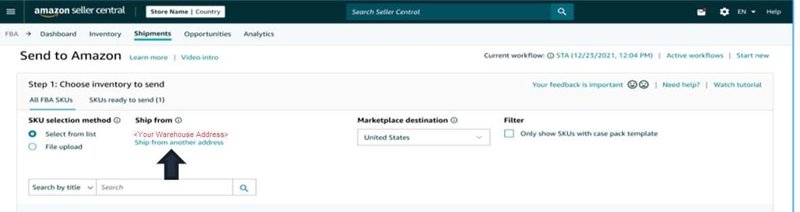
Step 1: In Step 1 of the Send to Amazon workflow, click Ship from another address.
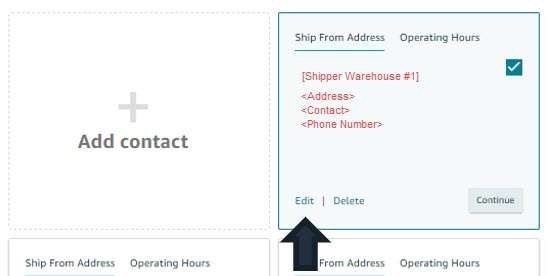
Step 2: Find the location you want to add/update lift gate services and click Edit.
If adding a new address click Add Contact.
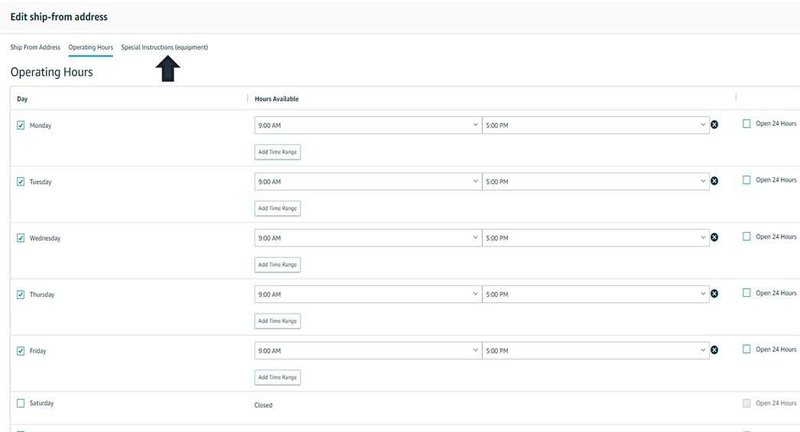
Step 3: Click the Special Instructions (equipment) tab.
Step 4: Select all equipment types that are supported at your warehouse and press Save and Close.
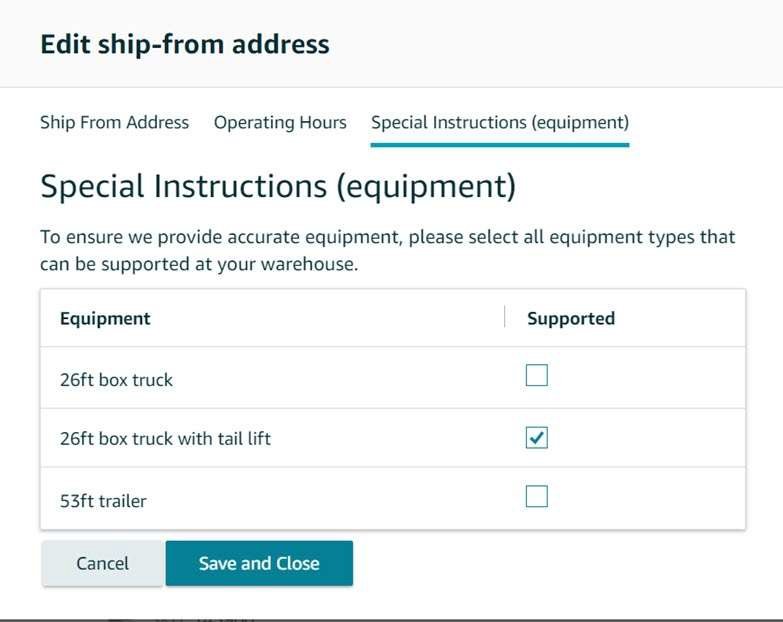
Once completed, go back to the send to amazon workflow to complete your shipment.